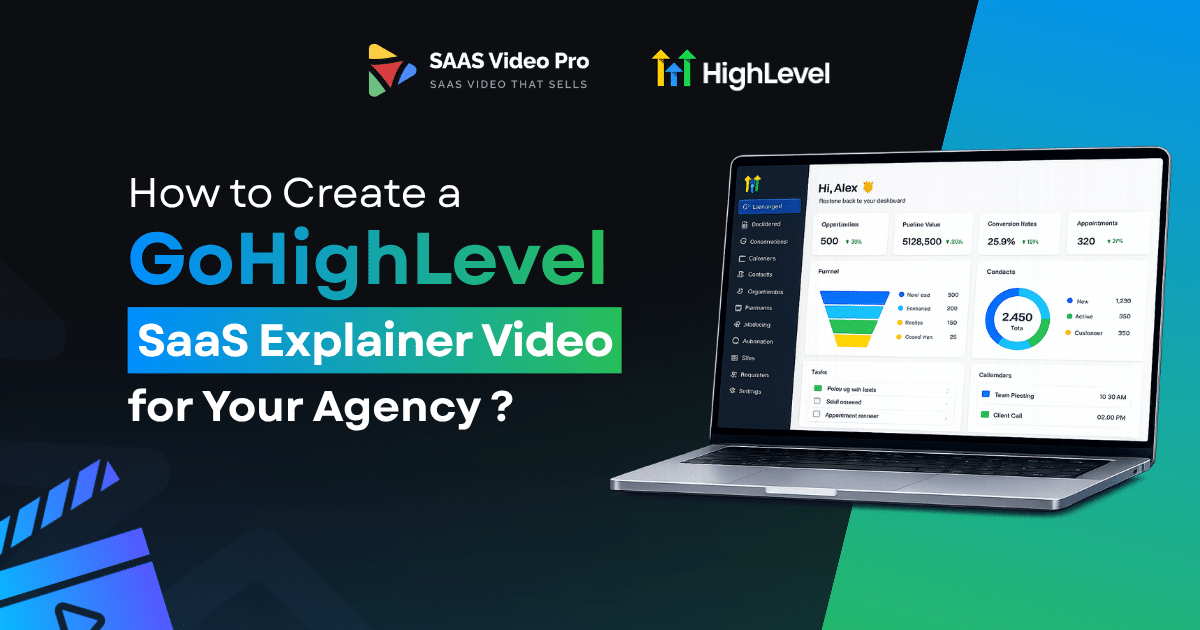
How to Create a GoHighLevel SaaS Explainer Video for Your Agency ?
Running a GoHighLevel SaaS business is exciting. But selling it to clients is hard?
That’s where most agencies get stuck. People don’t buy software. They buy what they understand. And nothing builds clarity faster than a good explainer video.
If people do not understand what your SaaS does in the first few seconds, you lose them. A clear, simple explainer video fixes that. It shows your features in action, It builds trust. And it turns confused leads into paying clients.
In this guide, we will show you how to create a GoHighLevel SaaS explainer video that actually works. Let’s start!
Why Does Your Agency Need a GoHighLevel SaaS Explainer Video?
Selling a GoHighLevel SaaS plan is not like selling one tool. You’re selling a whole system CRM, funnels, calendars, automation, AI agents, all bundled together. That’s hard to explain in plain text. Most leads stop reading after the second paragraph.
This is where video does the heavy lifting:
Where this video actually works best for your agency:
The point is simple. People buy what they understand. If your offer is confusing, they leave. If it’s clear in under 90 seconds, they stay and they’re far more likely to start a trial.
Ready to turn confused leads into trial signups?
Stop explaining, start showing with Saasvideopro. We’ll walk you through every step, from script to final upload. Let’s create it!
How to Create a GoHighLevel SaaS Explainer Video for Your Agency?
Write a GoHighLevel explainer video script That Actually Converts
Your script is the most important part of the video. If this part is weak, nothing else can fix it.
Use this simple structure. It works for almost any agency:
The Hook
You get about 5 seconds before someone scrolls away. Start with a question they actually relate to, or a line that calls out their exact problem. Don’t waste time on a slow intro.
The Problem
Talk about what’s actually frustrating them. Too many tools. Missed follow-ups. No time to manage it all. Say it the way they’d say it to a friend.
The Solution
Now bring in your GoHighLevel plan. Keep it short. You don’t need to mention every feature here, just show it as the fix.
The Transformation
Show what life looks like after. Fewer tabs open. More clients booked. Less stress at the end of the day.
The Call to Action
Tell them what to do. Start a trial. Book a call. Click the button. Be direct.
Pick the Right Visual Style for Your Video
After writing the script it is time to know how it will look. There’s no single right answer here. It is dependent on your time, budget, and level of presentation.
Screen Recording (Loom-style)
This is the fastest way. You record your screen and talk through it yourself. It feels natural, and people believe it because it’s a real person, not an ad.
Motion Graphics (Canva/InVideo)
This will make it look clean and branded. You can add your colors, logo, and text using ready-made templates. This requires more time, but it’s more polished than screen recording.
White-Label Outsourcing
Outsource it if you don’t have the time or design skills. You can build it with your own white label video team and customize it to fit your brand. You don’t touch any software.
Quick comparison:
| Style | Cost | Time | Best For |
| Screen Recording | Low | 1-2 hours | Fast, personal videos |
| Motion Graphics | Medium | A few days | Branded, polished look |
| White-Label Outsourcing | Higher | 1-2 weeks | Done-for-you quality |
If you’re not sure where to start, try screen recording first. It costs nothing and you can test it before spending money on the other options.
Record the Voiceover and Add Music
The voiceover is what holds the video together. A great script with a messy recording still feels unprofessional.
Before you hit record:
Not comfortable recording your own voice? AI voiceover tools work fine now and can save you time.
For music:
Edit and Export the Right Way
Here you combine your script, visuals, voice and music.
Here are a few things to remember:
Set the video to be 60-90 seconds long. The more time passes, the more people notice.Cut out anything that doesn’t add to the story. If a clip doesn’t connect to the hook, problem, solution, or CTA, remove it.
Match the voice with the images. Avoid leaving one screen on for too long with the voice having passed it.
For export:
Test it: Check the video on both phone and desktop before you publish it. Many will be viewing on the phones, so keep the text readable.
Add the Video to Your Sales Funnel
A great video does nothing sitting on your hard drive. Where you put it matters as much as how well it’s made.
Best spot: the hero section of your landing page. This is the first thing people see. Put the video there, before any long blocks of text.
Why this works:
Don’t stop at the landing page. Use the same video in:
One video, used in a few places. That’s the easiest way to get more out of the work you already did.
Stop repeating your pitch on every call. Let SaaSVideoPro turn your pitch into a video. Get started with SaaSVideoPro today.
Common Mistakes Agencies Make With explainer video for SaaS agencies:
We’ve seen a lot of agencies get this wrong. The good news? These are easy to fix once you know about them.
Too long, too many features
This is the biggest one. Agencies try to show every feature in one video. CRM, funnels, calendars, automation, AI tools, all packed into three minutes. By the time it’s half done, people have already left.
No clear CTA
Lots of videos just end. No button, no next step, nothing to click. People watch, then leave without doing anything.
Generic script, no niche focus
This one’s easy to spot. The script could work for any business in any industry. Lines like “save time” or “grow faster” don’t say much to the person watching.
6 Tips for an Explainer Video That Converts more leads:
A good explainer video isn’t about luck. It’s about following the right steps. Here are 7 tips that can actually boost your video conversion rate.
Start with the problem, not your brand
Don’t open with your logo or your agency name. Open with the problem your viewer is dealing with right now. That’s what keeps them watching past the first five seconds.
Keep it under 90 seconds
Long videos lose people fast. Say what you need to say in 60 to 90 seconds. If it feels too long while you’re editing, it probably is.
Use one voice, one tone
Pick a tone and stick with it for the whole video. Don’t switch between casual and formal halfway through. People notice, and it feels off.
Show the real dashboard, not just slides
If you’re making a SaaS sales video, show the actual product on screen. A real screen recording builds more trust than animated text and stock icons. We’ve found this alone makes leads trust the offer faster.
Add captions
Most people watch with the sound off, especially on mobile. Captions keep your message clear even with no audio.
End with one clear CTA
Don’t give three options at the end. Pick one action, trial, demo, or call, and ask for it clearly.
These tips look simple on paper, but most agencies still skip two or three of them. Get all seven right, and your video starts doing the work a sales call usually does.
Final Thoughts
Creating a GoHighLevel SaaS explainer video isn’t hard once you break it into steps. Write a script that speaks to a real problem. Pick a visual style that fits your time and budget. Record a clear voiceover, edit it down to under 90 seconds, and place it where your leads will actually see it.
That’s it. No big production team needed, no expensive software required. Just a clear message, shown the right way, in the right moment.
Agencies that get this right spend less time repeating their pitch on every call. Their leads already understand the offer before they even talk to sales. That’s the real value of a good explainer video, it does the selling before you even pick up the phone.
Start with one video, test it on your landing page. See how you get more customers.
FAQs
What’s the best place to put my explainer video?
The hero section of your landing page. It’s the first thing visitors see, so it explains your offer before they even start scrolling.
What’s the biggest mistake agencies make with explainer videos?
Trying to show too many features at once. A short, focused video on two or three key benefits works better than a long video covering everything.
Can I use this video on my sales page and in emails?
Yes. A good explainer video works on your website, in cold emails, and in follow-up sequences too.
How much does a custom explainer video cost?
It depends on length and complexity, but most agencies get a custom video built for a fraction of what one missed sale would cost them.
Will this video work for white-labeled GoHighLevel software?
Yes. The video can be built entirely around your branding, so clients see your platform, not GoHighLevel’s name.