
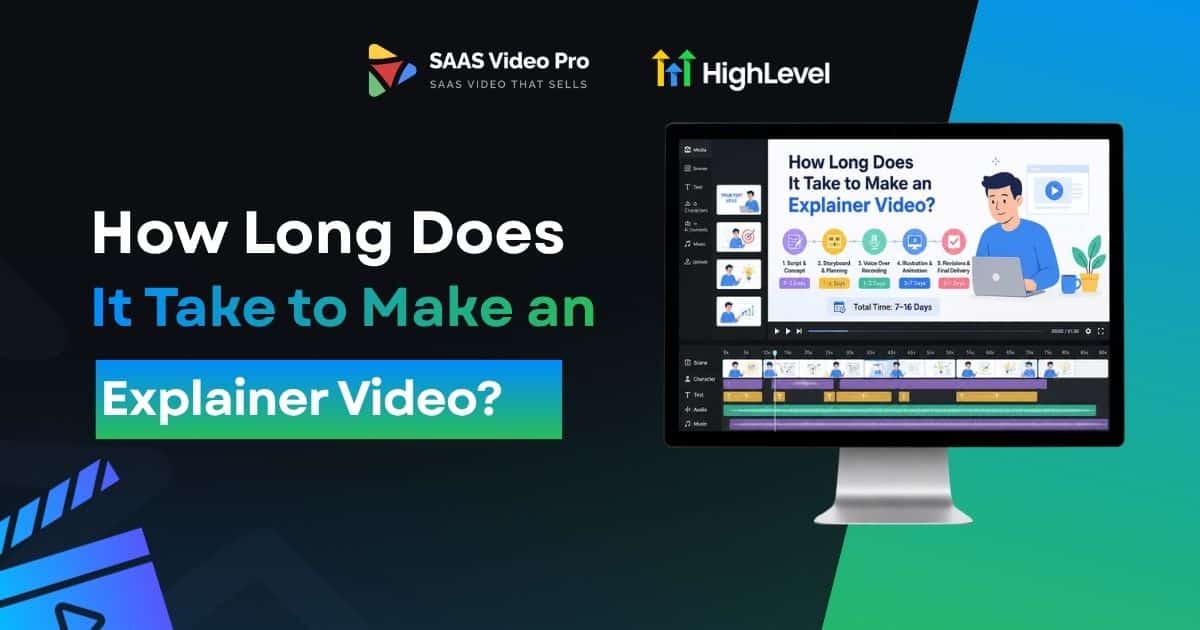
How Long Does It Take to Make an Explainer Video?
Making an explainer video seems easy at first, but the time it takes can surprise a lot of people. There’s a lot to do writing the script, recording the voiceover, creating the animation, and making changes along the way.
So how long does it actually take to make an explainer video?
The truth is, it depends. But most explainer videos take anywhere from 2 to 6 weeks to complete, depending on length, style, and how many revisions are involved.
In this post, we’ll break down each stage of the process and show you what affects the timeline, so you know exactly what to expect before you get started.
From Script to Screen, How Long Does It Really Take ?
Most explainer videos take 3 to 6 weeks to finish, start to finish. That’s the honest range for most projects.
Some take less time. Some take more. It depends on your script, your animation style, and how fast you send feedback.
The Short Answer First
If you’re short on time, here it is. Most explainer videos take 3 to 6 weeks.
A simple 2D video with a tight script can move faster, closer to 3 weeks. A detailed 3D video, or one with many rounds of feedback, can take longer, sometimes 8 weeks or more.
We’ve built videos on both ends of that range. The timeline always comes down to three things: your script, your style, and how fast you reply during reviews.
Read this: What is Cloud Video Transcoding SaaS? A Beginner’s Guide
Step by step on How Long Does It Take to Make an Explainer Video?
Most breakdowns just say “a few weeks.” That’s not much help when you’re actually planning a project. Here’s what happens at each stage, and how long it really takes.
Discovery and Strategy
This is where we learn about your product and your audience.
Scriptwriting
The script shapes the whole video, tone, message, and flow.
Storyboarding
This is the visual outline before any real animation starts.
Voiceover Recording
Getting the right voice matters more than people expect.
Animation
This is the longest stage, and where most of the time goes.
Revisions and Final Delivery
The last stretch before your video is ready.
Add it all up, and most projects land in the 3 to 6 week range. Skip a stage, or slow down on feedback, and that timeline stretches fast.
Read this: How to promote a saas product with video ads?
What Actually Affects Explainer Video Making Process?
A few things decide whether your video takes 3 weeks or 8. Here’s what really moves the needle.
Video Length
Shorter scripts move faster. A 60-second video needs less animation and less editing than a 3-minute one.
Animation Style
2D animation is usually the fastest option. 3D and live action take longer, and cost more too.
Script and Revisions
More rounds of feedback add real days to your timeline. This part is often overlooked.
Voiceover and Sound
Casting, recording, and sound design take more time than most people expect.
Client Feedback Speed
This is the biggest, most avoidable delay we see.
Average Timeline by Video Type:
How long it takes to make an explainer video depends a lot on style. Here’s a rough breakdown by type.
These are averages from real projects, not guesses. Your actual timeline still depends on script length, revisions, and how fast feedback comes back.
Final Thoughts
Now you know what goes into making an explainer video and how long each step takes.
Plan ahead, work with the right team, and you’ll get a video that looks good and gets your message across, without any last-minute stress.
Want your video ready faster? Talk to a video team and get a clear timeline made just for you.
FAQs
Why does it take weeks instead of days?
A good explainer video needs a few steps done one after another — script, voiceover, animation, and review. Each step needs time to get right.
Can I get my video made faster?
Yes, some teams offer rush options. It may cost a bit more, but you can get your video in a shorter time if needed.
What can slow down the process?
Late feedback, too many rounds of changes, or an unclear script can add extra time. Sharing clear details early on helps keep things on track.
Do I need to prepare anything before starting?
It is good to have an outline of your message, your audience, and your preferred style. This simplifies and speeds up the entire process.



2 Comments